Insignia NS-CSPBTF1 Handleiding
Bekijk gratis de handleiding van Insignia NS-CSPBTF1 (100 pagina’s), behorend tot de categorie Speaker. Deze gids werd als nuttig beoordeeld door 30 mensen en kreeg gemiddeld 4.5 sterren uit 7 reviews. Heb je een vraag over Insignia NS-CSPBTF1 of wil je andere gebruikers van dit product iets vragen? Stel een vraag
Pagina 1/100
SAFETY
INFORMATION
• Use the speaker in normal temperatures.
• Do not use the speaker under the water.
• Do not throw the speaker.
• Do not cover or insert anything into the
holes in the speaker.
• Do not put the speaker close to any heat
source.
• Contact your retailer if the charging cable
does not connect to your speaker.
• Do not disassemble, repair, or modify the
speaker.
• Do not charge the speaker using more
than 5V.
• High volumes may damage your hearing.
Use the speaker at a lower volume.
• Disassembling the speaker voids its
warranty.
PACKAGE CONTENTS
• Bluetooth Speaker
• Micro USB cable
• Quick Setup Guide
Before using your new product, please read
these instructions to prevent any damage.
FEATURES
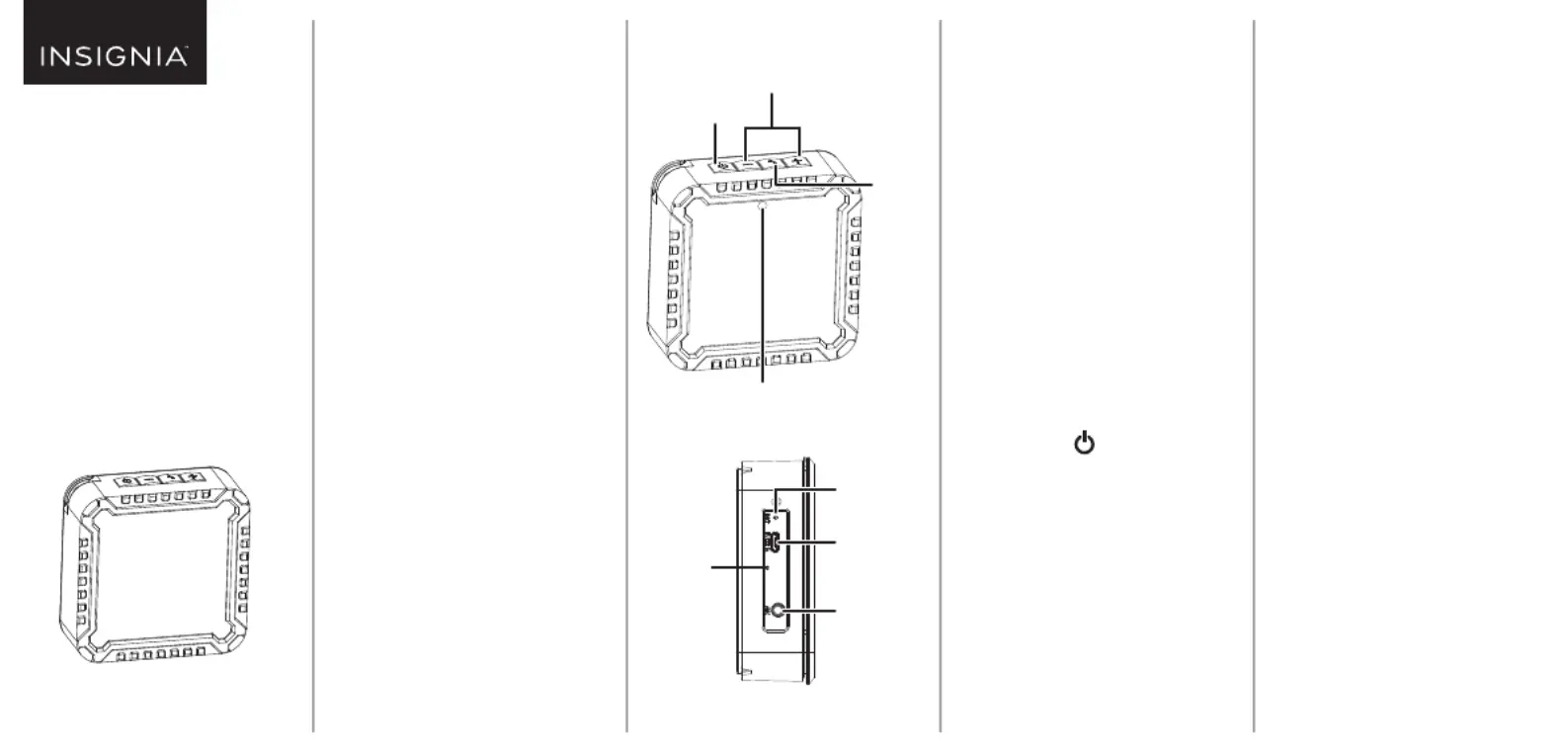
Top
Side
Power button
Volume +/- buttons
Call
button
Bluetooth LED
CHARGING YOUR
SPEAKER
The charging LED blinks red when the
speaker’s battery is low.
• Connect the micro USB cable from your
speaker’s micro USB port to a USB port
(such as a computer or wall charger). The
charging LED lights red while charging,
then turns off when the battery is fully
charged.
CONNECTING AN
AUDIO DEVICE
Bluetooth
1Press and hold (power) to turn on
your speaker. The Bluetooth LED blinks
blue quickly and your speaker
automatically enters pairing mode.
2Make sure that your Bluetooth device is
within 33 ft. (10 m) of your speaker.
3Turn on your Bluetooth device, turn on
Bluetooth, then enter pairing mode. For
more information, see the documenta-
tion that came with your Bluetooth
device.
Charging
LED
Reset hole
Micro USB
port
AUX IN
jack
4On your Bluetooth device, select
NS-CSPBTF1. Your speaker pairs with
your Bluetooth device and the
Bluetooth LED lights solid blue.
5To disconnect, un-pair your Bluetooth
device from your speaker.
Audio cable
• Connect a 3.5 mm audio cable (not
included) from your speaker’sAUX IN
jack to your audio device’s
headphone/audio out jack.
USING YOUR
SPEAKER
Listening to audio
1Play audio on your connected device.
2Press + or - to adjust your speaker’s
volume.
Note: Make sure that your connected
device’s volume is set to at least 50%.
3Use the controls on your connected
device to control playback.
QUICK SETUP GUIDE
Bluetooth
Speaker
NS-CSPBTF1
Product specificaties
| Merk: | Insignia |
| Categorie: | Speaker |
| Model: | NS-CSPBTF1 |
Heb je hulp nodig?
Als je hulp nodig hebt met Insignia NS-CSPBTF1 stel dan hieronder een vraag en andere gebruikers zullen je antwoorden
Handleiding Speaker Insignia

11 Maart 2025
11 Maart 2025
18 Februari 2024
18 Februari 2024
18 Februari 2024
18 Februari 2024
8 Februari 2024
8 Februari 2024
8 Februari 2024
8 Februari 2024
Handleiding Speaker
Nieuwste handleidingen voor Speaker
23 Juli 2026
23 Juli 2026
22 Juli 2026
22 Juli 2026
22 Juli 2026
21 Juli 2026
21 Juli 2026
21 Juli 2026
21 Juli 2026
21 Juli 2026