Roland P-20HD Handleiding
Roland Controller P-20HD
Bekijk gratis de handleiding van Roland P-20HD (51 pagina’s), behorend tot de categorie Controller. Deze gids werd als nuttig beoordeeld door 52 mensen en kreeg gemiddeld 4.6 sterren uit 5 reviews. Heb je een vraag over Roland P-20HD of wil je andere gebruikers van dit product iets vragen? Stel een vraag
Pagina 1/51
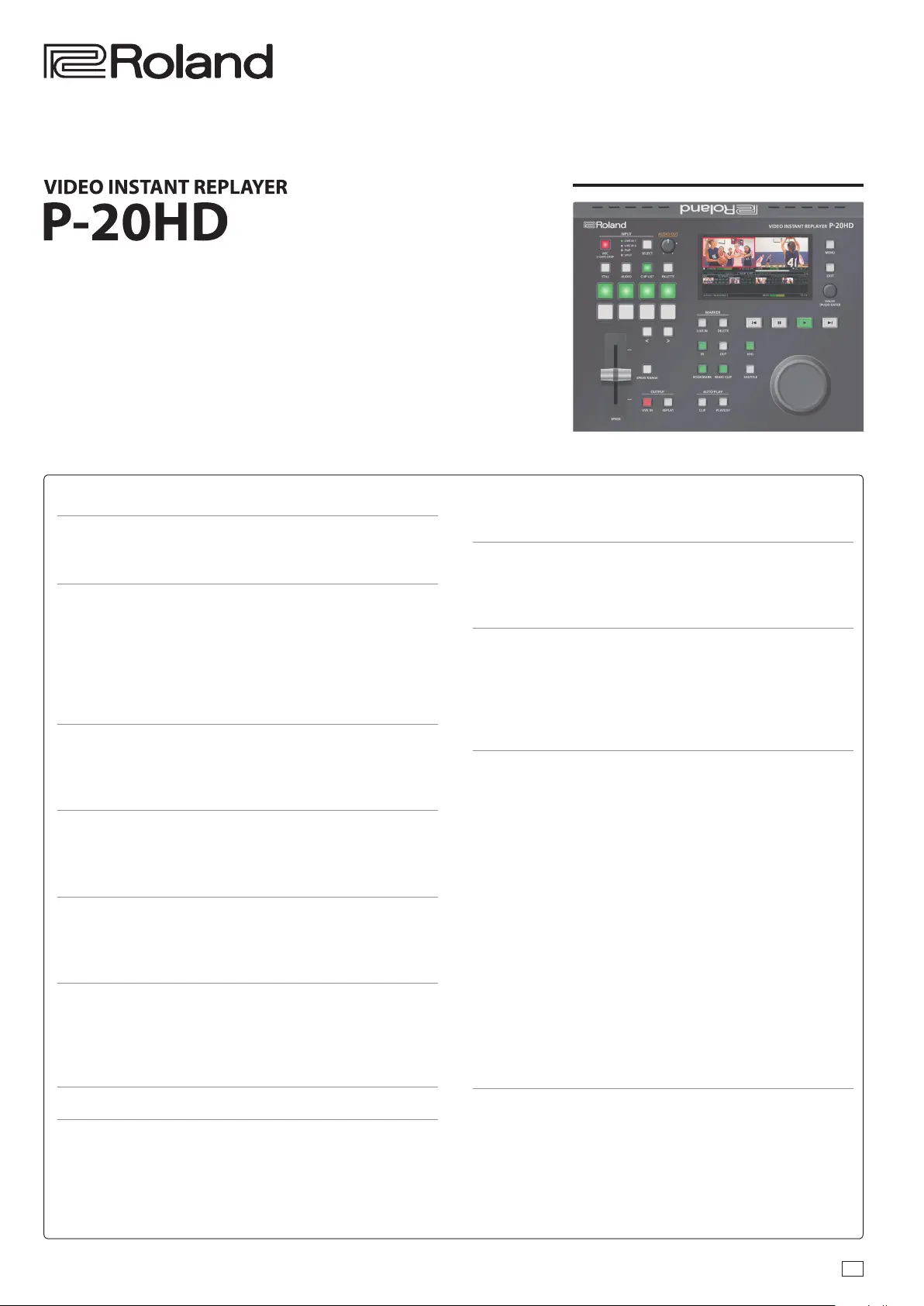
Reference Manual
03
Contents
Panel Descriptions ...................................... 2
Top Panel/Front Panel. . . . . . . . . . . . . . . . . . . . . . . . . . . . . . . . . . . . . 2
Rear Panel (Connecting Your Equipment) .................. 3
Getting Ready ........................................... 4
Main Screen .............................................. 4
Turning the Power On/O ................................. 7
About SD Cards ........................................... 7
Operating the Menu ...................................... 8
Setting the Date and Time ................................ 8
How the P-20HD is Organized ............................. 9
Video Input/Output Settings ........................... 11
Setting the Video Input/Output Format .................... 11
Specifying the Input Format (EDID) ........................ 12
Setting the Output Format ................................ 12
Creating a Project ....................................... 13
Creating a New Project .................................... 13
Opening an Existing Project ............................... 13
Conguring the Project Settings .......................... 13
Video Operations ....................................... 14
Recording and Playback .................................. 14
Using Clips ............................................... 15
Clip List Operations ....................................... 19
Pad Operations. . . . . . . . . . . . . . . . . . . . . . . . . . . . . . . . . . . . . . . . . . 20
Using the Palettes ........................................ 20
Other Palette Operations ................................. 21
Using Still Images ......................................... 22
Using Audio Files ......................................... 23
Adjusting the Video ..................................... 24
Audio Operations ....................................... 26
Adjusting the Volume ..................................... 26
Applying Eects to the Input Audio ....................... 26
Applying Eects to Output Audio ......................... 27
Muting Only Specic Audio (Mute) ........................ 28
Switching Between Audio Output from Each Output
Connector ................................................ 28
Annotation .............................................. 29
Connecting a Pen Display/ Pen Tablet ..................... 29
Getting Ready to Use Annotation. . . . . . . . . . . . . . . . . . . . . . . . . . 29
Drawing on the Screen .................................... 30
Other Functions ......................................... 31
Saving this Unit’s Settings to a SD Card/USB Flash Drive .... 31
Formatting an SD Card .................................... 32
Turning O the Power from the Menu ..................... 32
Returning to the Factory Settings (Factory Reset) .......... 33
System Settings .......................................... 33
Menu List ................................................ 34
1: Project ................................................. 34
2: Transition .............................................. 35
3: Playlist ................................................. 35
4: Pad .................................................... 36
5: Video Input ............................................ 36
6: Video Output ........................................... 38
7: Audio Input ............................................ 39
8: Audio Output .......................................... 40
9: Audio Rec Level ........................................ 42
10: SD Card/USB Memory ................................. 42
11: Annotation ........................................... 42
12: System ................................................ 42
CLIP LIST ................................................. 44
PALETTE .................................................. 44
STILL ..................................................... 44
AUDIO. . . . . . . . . . . . . . . . . . . . . . . . . . . . . . . . . . . . . . . . . . . . . . . . . . . . 45
List of Shortcut Keys ...................................... 45
Appendix ................................................ 46
Troubleshooting .......................................... 46
Error Message List ........................................ 47
Approximate Recording Times ............................ 47
Main Specications ....................................... 48
Dimensions .............................................. 49
Video Block Diagram ...................................... 50
Audio Block Diagram ..................................... 51
© 2021 Roland Corporation
Version 1.1 and later
Product specificaties
| Merk: | Roland |
| Categorie: | Controller |
| Model: | P-20HD |
| Kleur van het product: | Zwart |
| Ingebouwd display: | Ja |
| Gewicht: | 2100 g |
| Breedte: | 265 mm |
| Diepte: | 216 mm |
| Hoogte: | 87 mm |
| Gebruikershandleiding: | Ja |
| Beeldschermdiagonaal: | 4.3 " |
| Resolutie: | 480 x 272 Pixels |
| Ondersteund audioformaat: | PCM, WAV |
| Ondersteunde videoformaten: | H.264, MPEG2-TS |
| Ethernet LAN: | Ja |
| Ondersteunde video-modi: | 720p, 1080i, 1080p |
| Type stroombron: | AC |
| Meegeleverde kabels: | AC |
| Inclusief AC-adapter: | Ja |
| Aantal USB 2.0-poorten: | 1 |
| Audio-ingang (L, R): | 1 |
| Aantal Ethernet LAN (RJ-45)-poorten: | 1 |
| Vermogensverbruik (max): | 36 W |
| Aansluiting voor netstroomadapter: | Ja |
| HD type: | WUXGA |
| Videoresoluties: | 800 x 600,1024 x 768,1280 x 1024,1280 x 800,1366 x 768,1400 x 1050,1600 x 1200,1920 x 1200 Pixels |
| Ondersteund beeldformaat: | BMP, PNG |
| Audio (L,R) out: | 1 |
| Ethernet LAN, data-overdrachtsnelheden: | 1000 Mbit/s |
| Bekabelingstechnologie: | 10/100/1000Base-T(X) |
| Output current: | 3 A |
| HDMI in: | 2 |
| Aantal kanalen: | 2 kanalen |
| Aantal HDMI-uitgangen: | 2 |
| Bedrijfstemperatuur (T-T): | 0 - 40 °C |
| Type beeldscherm: | TFT |
| Videobewerking: | 8 Bit |
| Compressieratio: | 4:2:2 |
| Digitale video-effecten (DVE): | Ja |
Heb je hulp nodig?
Als je hulp nodig hebt met Roland P-20HD stel dan hieronder een vraag en andere gebruikers zullen je antwoorden
Handleiding Controller Roland

16 November 2024
Handleiding Controller
Nieuwste handleidingen voor Controller
6 September 2026
5 September 2026
4 September 2026
3 September 2026
10 Augustus 2026
27 Juli 2026
25 Juli 2026
13 Juli 2026
11 Mei 2026
28 April 2026