ProSelect PSTSN21AWH Handleiding
ProSelect Niet gecategoriseerd PSTSN21AWH
Bekijk gratis de handleiding van ProSelect PSTSN21AWH (25 pagina’s), behorend tot de categorie Niet gecategoriseerd. Deze gids werd als nuttig beoordeeld door 27 mensen en kreeg gemiddeld 4.2 sterren uit 8 reviews. Heb je een vraag over ProSelect PSTSN21AWH of wil je andere gebruikers van dit product iets vragen? Stel een vraag
Pagina 1/25
Package Includes:
• Base Plate Mounting System
• Screws and Anchors
• 2 AA Batteries
• Thermostat Literature
Heat On
Menu
Fan Auto
M39418
Non-programmable Thermostat
PSTSN11AWH, PSTSN21AWH
User Guide
For assistance with this product, please contact PROSELECT® via
[email protected] or 1-800-221-3379.
Customer assistance
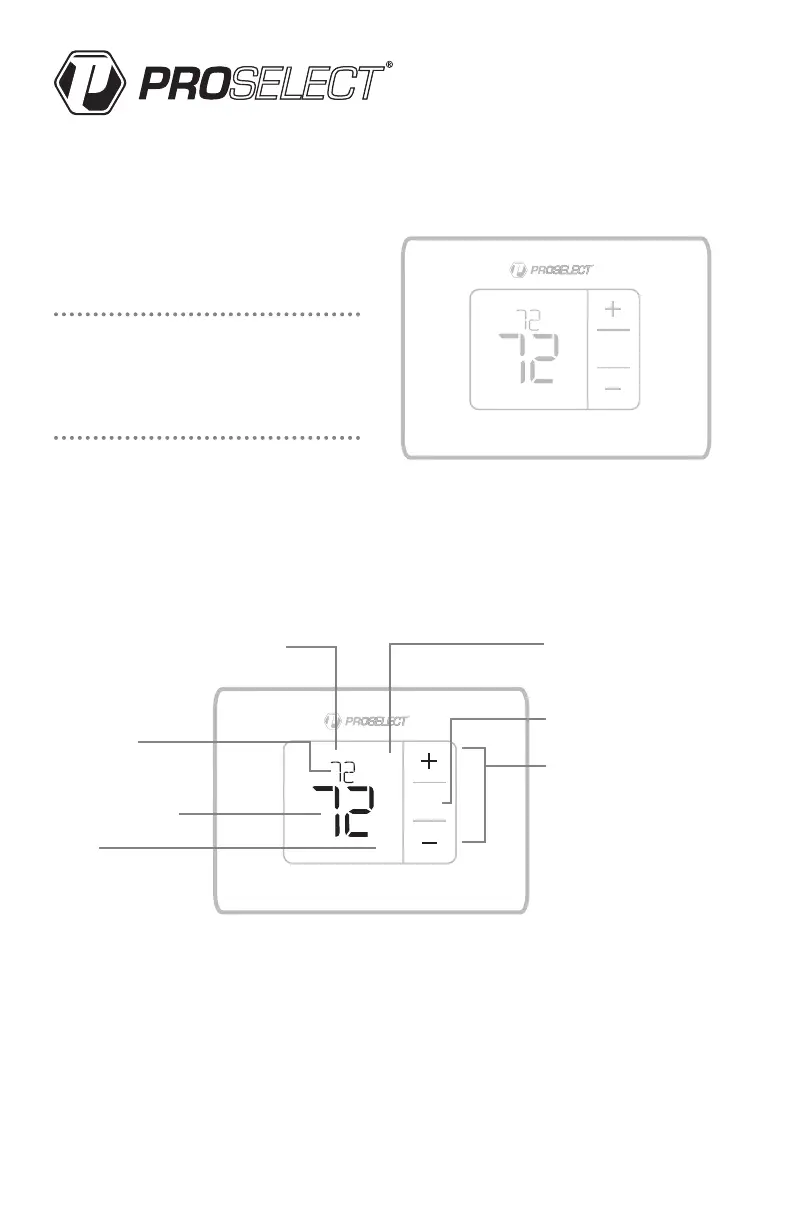
Thermostat controls
• System status information
Cool On
Heat On
Em Heat On
• Indoor
temperature
setpoint
Press + or – to
change temperature
setting
• Actual indoor
temperature
• Fan
Select Fan mode
Auto/On
• Mode
Select system mode
Heat/Off/Cool/Auto/
EM Heat (emergency
heat)
• Menu
Press to enter the system
mode or fan settings
• Temperature/
Navigation buttons
Press to increase or decrease
the temperature setpoint or
to cycle through the system
mode or fan settings
The screen will wake up by pressing any of the five buttons. If powered by the C wire, the screen stays lit for 45
seconds after you complete changes. If powered by battery only, the screen stays lit for 8 seconds. Depending on
how your thermostat was installed, the screen light may always be on.
Read before installing
Heat On
Menu
Fan Auto
M39422
Mode
Fan
Auto
Product specificaties
| Merk: | ProSelect |
| Categorie: | Niet gecategoriseerd |
| Model: | PSTSN21AWH |
Heb je hulp nodig?
Als je hulp nodig hebt met ProSelect PSTSN21AWH stel dan hieronder een vraag en andere gebruikers zullen je antwoorden
Handleiding Niet gecategoriseerd ProSelect

20 December 2025
18 December 2025
18 December 2025
17 December 2025
Handleiding Niet gecategoriseerd
Nieuwste handleidingen voor Niet gecategoriseerd
25 Augustus 2026
25 Augustus 2026
25 Augustus 2026
25 Augustus 2026
25 Augustus 2026
25 Augustus 2026
25 Augustus 2026
25 Augustus 2026
25 Augustus 2026
25 Augustus 2026