Novox One Air V2 Handleiding
Bekijk gratis de handleiding van Novox One Air V2 (2 pagina’s), behorend tot de categorie Microfoon. Deze gids werd als nuttig beoordeeld door 6 mensen en kreeg gemiddeld 4.1 sterren uit 3 reviews. Heb je een vraag over Novox One Air V2 of wil je andere gebruikers van dit product iets vragen? Stel een vraag
Pagina 1/2
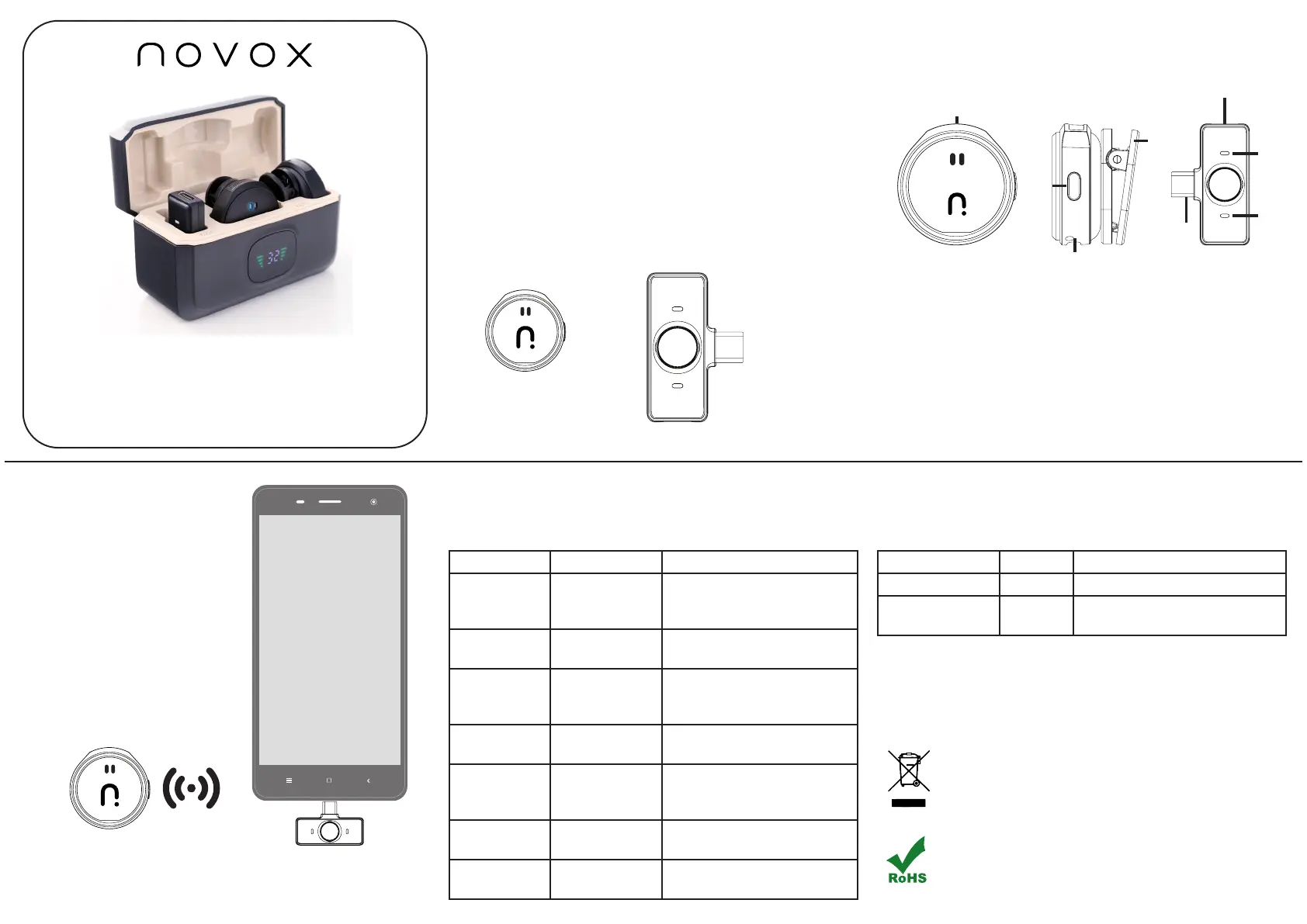
instruction manual
Introduction
Thanks for choosing our product.
This product is a smart wireless microphone that provides
professional-grade recording output. Plug and play, no app
required. Multiple uses: It can be used in online live broadcast,
video Vlog shooting, program interview, recording, video teaching
and other occasions.
This product consists of three parts: charging box, microphone
transmitter and receiver
How to use
Step 1: Long press the power
button on the microphone, and the
connection indicator light will ash,
indicating successful power on.
Step 2: Connect one end of the
receiving end to the phone interface.
Step 3: The indicator light for the
connection between the receiver and
transmitter remains on, indicating a
successful connection.
Open the camera live streaming
app on your phone and use the
microphone to listen.
About UI
ONE AIR V2
MICROPHONE
TRANSMITTER
RECEIVER
ID Diagram
Note: OPPO / Vivo / iQOO / Realme brand mobile phones can be used
normally only when they go to the settings (search “OTG” – turn on OTG
power supply)
Function Button LED Description
Power on Long press the
2s power button
Blue light will ash slowly,
then remain on if connected
successfully
Power o Long press the
2s power button
All lights are o
Noise
reduction
Click the power
button
Red and blue lights are on
together; click again to turn
o
Silent mode Double click the
power button
All lights o; click again to
return to previous state
Reverberation Triple click the
power button
Breathing ash + indicator
light; click again to return to
previous state
Charging —Red light when charging, o
when fully charged
Low electricity —Below 20% battery: red light
ashes slowly
Microphone TransmitterReceiver
FunctionOperateLED
Power onIce blue light ashing
Search pairingFlashing while searching, solid
when paired
In accordance with the provisions of the Act of 1 July 2005 on waste electrical and electronic equipment, it is prohi-
bited to place it together with other waste. A user who intends to dispose of this product is obliged to return used
electrical and electronic equipment to a waste equipment collection point. Collection points are operated, inter
alia, by wholesalers and retailers of such equipment and by communal organisational units operating as waste
collectors. The aforementioned statutory obligations were introduced in order to limit the quantity of waste electri-
cal and electronic equipment and to ensure appropriate levels of collection, recovery and recycling of waste equip-
ment. Proper implementation of these obligations is particularly important in the case of waste equipment conta-
ining hazardous components, which have a particularly negative impact on the environment and human health.
What is RoHS?
RoHS (restriction of use of certain Hazardous Substances In Electrical and Electronic Equipment) is a European
Union Directive that restricts 6 hazardous materials in the manufacture of various types of electronic and electrical
equipment.
1. Windproof Net
2. Connection indicator light
3. Microphone Type-C charging port
4. Microphone clip
5. Switch key
6. Port to connect phone
7. Indicator light
8. Port of receiver
Packing List
Content of packing: (1) Microphone transmitter (2) Lightning
receiver (3) Charging box (4) Charging cable (5) User manual
Product specificaties
| Merk: | Novox |
| Categorie: | Microfoon |
| Model: | One Air V2 |
Heb je hulp nodig?
Als je hulp nodig hebt met Novox One Air V2 stel dan hieronder een vraag en andere gebruikers zullen je antwoorden
Handleiding Microfoon Novox

25 Februari 2026
Handleiding Microfoon
Nieuwste handleidingen voor Microfoon
26 Augustus 2026
24 Augustus 2026
18 Augustus 2026
18 Augustus 2026
18 Augustus 2026
17 Augustus 2026
17 Augustus 2026
17 Augustus 2026
6 Augustus 2026
6 Augustus 2026